7 Awesome iPad Apps for Health and Fitness


When it comes to becoming healthy, many folks have unrealistic expectations. You can’t become fit overnight when you have spent years eating the wrong way and not exercising enough. It is never too late to get back on track though. Here are 7 iPad apps that could give you a helping hand:

Calorie Counter and Diet Tracker: a powerful calorie counter and diet tracker for your iPad. It has a database of 1.2M foods and covers 350+ exercises. You can track your weight and food easily with this tool.

intelli-Diet App: in order to lose weight and stay healthy, you are going to have to watch what you eat. This app provides you with awesome food plans on a daily basis.

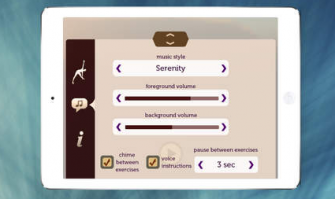
Pocket Yoga – Practice Builder: Yoga is good for your body and mind. This app covers 140+ poses and lets you create your own routines.

Smart Alarm Clock for iPad: you can’t be fully healthy if you are not getting enough sleep. This app keeps track of your sleep cycles and wakes you up at the right time.

Vital Signs Camera: you don’t always need a sophisticated gadget to figure out what your heart and breathing rates are. This app uses your iPad’s camera to measure those.

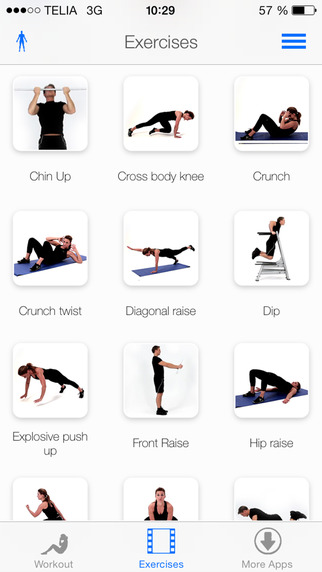
Fitness for iPad: includes hundreds of exercises and Yoga poses you can take advantage of to make your body well-rounded. It has detailed text, photo, video, and audio instructions.

Daily Workout: provides you with great 10-30 minute workouts you can do at the comfort of your home. It covers ab, arm, butt, cardio, and leg workouts.

In order to get fit, you need to eat right, exercise often, and sleep tight at night. These apps help you do those and more.

6 iPad Stylus Products You Should See


Most iPad users have no trouble operating on their device using their fingers. But having a stylus could make doing things on your tablet a whole lot easier. If you are looking for a stylus for your tablet (for drawing, painting, or any other purpose), you should invest in a product that is comfortable to hold and can improve the quality of your work. These 6 stylus products offer just that:

The LunaTik Touch Pen: serves as a pen and stylus. You can use this on a piece of paper or your tablet.

jaja – Pressure Sensitive Stylus: a pressure sensitive stylus for iPad that makes using your tablet more convenient.

iPen for iPad: it is an active digitizer stylus that lets you write more precisely on your iPad. It offers a more accurate writing experience. Palm rejection is offered too.

The Estylo: a wooden stylus that works on capacitive screens like a charm. It magnetically attaches to your tablet.

The Sensu Brush: this is perfect if you have already picked up some of the drawing and sketching apps we have suggested here in the past. This is a sophisticated iPad brush that works great for digital artists.

Styló for iPad: a no nonsense stylus. It is not designed to act as a pen. It attaches to your iPad 2 with its magnets. The Stylo has a double tip design and comes in multiple colors.

If you are looking for a comfortable, decent stylus to use for content creation on your tablet, the above products are worth checking out.

6 Awesome Meditation Apps for iPad


Meditation is a wonderful practice to add to your daily routine. No matter how tough you are mentally, giving your mind a break once in a while is a very good idea. Meditation relaxes your body and mind and recharges your battery.

Anyone can meditate. You just have to set some time for it and get yourself familiar with its basics (breathing, …). These meditation apps for iPad can help too:

Simply Being Guided Meditation: provides you with voice-guided meditation sessions. It has soothing music and sounds too.

Meditator: this is a premium programmable meditation timer for iPad. It offers programmable meditation presets and has plenty of chimes.

iRelax Meditation: another guided meditation app for iPad. Great guide for early morning and late night sessions. It offers 5 sessions.

Insight Timer for iPad: a versatile timer that is useful for Yoga and meditation. It runs in the background. It charts your activities which is nice.

Relaxing Sounds of Nature: it has plenty of relaxing sounds of nature you can mix and enjoy on your tablet. These sounds can help you meditate, relax, or get some sleep.

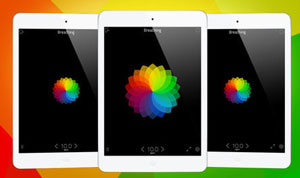
Universal Breathing – Pranayama: focuses on your breathing. It has tips and music to help you breathe better. It will improve your breathing over time if you practice with it long enough.

What iPad apps do you use to meditate?

6 iPad Apps for Young Math Learners


Teaching math to the young ones is not as straight forward as doing so to slightly older children. Many teachers use interactive tools to grab the attention of their younger students. Thanks to devices such as iPad. , you can get your own kids started with math early on. Here are 6 iPad apps that can help:

Mathboard for iPad: a useful tool to teach addition, subtraction, and basic math with. It creates problems randomly but gives you control over the range of numbers used in them.

Math Bingo: an interactive game that helps your students master basic math. It has 4 different games (addition, subtraction, division, and multiplication). 3 levels of difficulty are available.

Rocket Math: a fun educational game for kids of all ages. It is colorful and provides players with a fun learning environment. 56 math missions are included. Continue Reading

5 Awesome Fantasy Football Apps for iPad


The football season has already started. Many of us were worried that the season might not even start on time. But the players and the owners finally reached an agreement in time. If you are a fan of football, chances are you participate in fantasy football leagues. Doing research and staying on top of the game should not be difficult for true football fans. But these 5 fantasy football apps for iPad can make your job more convenient:

NFL Fantasy Cheat Sheet for iPad: provides you with the latest news and developments in the world of football. It has a pick recommendation system to improve your game. One of the best apps we have tested in this category.

Robowire Fantasy Football Draft Kit: shows you players’ rankings. Covers the latest news and developments. Teach depth charts and the watch-list feature is useful too. Continue Reading

6 Cool Sketch and Drawing Apps for iPad


Apple iPad is a great tool for artists to take advantage of to try new ideas and let their creativity fly. There are plenty of sketching and drawing apps available for iPad that they can use to bring their art to the world. Here are 6 apps worth checking out for anyone into sketching:

Sketch Club: a universal application that c0mes with a large number of tools and layers artists can use to develop their sketch arts. It is YouTube friendly too. Continue Reading

7 Cool iPad Apps for The Classroom


Most of us have had to attend school at some point. The more advanced your classes get and the more hectic your schedule becomes, the more trouble you will have keeping up with your class work. These 7 iPad apps can help you keep up with your classes more easily:

inClass for iPhone: it helps you stay on top of your school schedule no matter how hectic it is. It is a great note taking tool too. Continue Reading

5 Awesome Schedule Planners for iPad


We all wish we had more hours everyday to tackle more chores and get more things done. Having a decent schedule planner with you could certainly help you become more productive. These 5 schedule planners for iPad can boost your productivity without you having to deal with pens and papers:

Schedule Planner: a user friendly and well designed application to manage your schedule with (by category and priority). It even tells you how you have spent your time.

Free time: not sure if you have time available for more tasks? This app will go through your schedule to find you free time. Continue Reading

8 Awesome Recipe Apps for iPad


There was a time when people relied only on regular recipe books and paper to learn new dishes to cook and store their favorite recipes. These days you can rely on your iPad to help you prepare new, delicious dishes more conveniently. These 8 recipe apps help you do just that:

Paprika Recipe Manager: an attractive and sophisticated recipe manager for iPad. It lets you download recipes from top recipe sites. It has a kitchen timer and a grocery shopping tool.

Real Simple Recipes: includes 850 or so recipes with instructions and tips to help you prepare delicious foods in a short period of time. Its how-to videos are nice too.

BigOven for iPad: it gives you access to thousands and thousands of recipes on your iPad. You can search for recipes based on various factors. You can also take advantage of Bigoven.com membership to get more out of this app. Continue Reading

6 Awesome NASA Apps for iPad


A couple of weeks ago, we wrote about some of the most exciting astronomy applications for iPad. These apps let you explore the objects in your sky to your heart’s desire. NASA’s apps for iPad are pretty decent too. Here are 7 NASA apps that can teach you a thing or two about astronomy:

NASA App HD: provides you with images from NASA IOTD, APOD and NASAImages.org. It offers live streaming of NASA TV.

NASA Lunar ERS: a Lunar Electric Rover simulator that gives you an idea what it would be like to tackle activities on a Lunar outpost.

NASA Visualization Explorer: provides you with information on NASA’s space research on your iPad. It is fully interactive. Continue Reading

3 Awesome CraigsList Apps for iPad


Craigslist is an amazing place to find things to buy and services to take advantage of in your local area. It can help you save a ton of money and get your hands on rare deals. Some people even use this service to find jobs. Checking Craigslist’s listings online is easy to do. But why do that when you can use these iPad apps to get even more out of your Craigslist experience:

Craigslist Pro for iPad: one of the best looking Craigslist browsers around. You can search in multiple locations at the same time. It uses your GPS to provide you with local deals. It offers 20+ enhanced search options.

Craigslist App for iPad: Craigslist listings look all over the place if you have not used the service too often. With this tool, you can give Craigslist listings that good old classifieds look. You can post directly to Craigslist from this app. Continue Reading

6 Awesome Dropbox Apps for iPad


Dropbox is one of the most exciting cloud-based storage solutions around. It gives you a cheap way to store all your files, images, and everything in between offsite. You can use it to store to-do lists, notes, music, and other types on content as well. These 6 Dropbox apps for iPad let you interact with your Dropbox account on your tablet:

Dropbox: the official Dropbox app for iPad. Brings all the files you have saved to your Dropbox account to your iOS device.

Quickshot: makes it so simple to upload the photos you take on your iOS device to Dropbox. Supports multiple file uploads too.

Audiotorium Notes: the only app you will need to manage your audio and text notes on your iPad. It comes integrated with Dropbox and TextExpander.

Droplist To Do: a simple to use to-do list manager for iPad that can make you more productive. It supports syncing with Dropbox too.

PlainText: a free, simple text editor for your tablet. It has an uncluttered interface and looks pretty good. It can store your files in your Dropbox account.

Atomic Web Browser: an advanced iPad browser with desktop-browser type features. It blocks ads and provides you with a speedy web experience. Dropbox file transfer feature is supported.

Please share your app suggestions below.

5 Killer News Reader Apps for iPad


There was a time when people relied on their TV or newspapers to keep up with the news. In this day and age, we have so many more options. One can keep up with the latest news on any topic by following blogs and forums. Social media is a great source of news too. Add iPad to the mix, and you won’t have to go back to your TV for your news. Here are 5 news reader apps for iPad that help you keep up:

Flipboard: one of the most sophisticated news reader clients for iPad. Turns your feeds from Facebook, Twitter, Google Reader, Flickr, and Instagram into a magazine. It is super slick and fast.

News 360: a free news application for iPad that gives you 1000s of news sources to choose from. It provides you with an enhanced version of the news as you go through articles on your tablet.

Early Edition: this is a versatile RSS reader for iPad. It turns your RSS feeds into a virtual magazine. It can import from Google Reader. Supports Twitter and forum feeds. Continue Reading

Top 20 Astronomy Apps for iPad


Astronomy applications for iPhone have been quite popular among those who are into stargazing and can’t get enough of it. They can not only be great learning tools but also save you time looking up the objects you are interested in. iPad astronomy apps take it to a whole new level though. These apps take full advantage of iPad’s larger screen to provide their users with a richer experience. If you are into astronomy and want to use your iPad to learn more about the objects in the sky, you should not miss these applications:

Luminos: one of the most sophisticated astronomy applications we have tested. It has superb graphics and lets you explore the heavens to your heart’s desire. It covers 2,500,000 stars, thousands of galaxies, nebulas, and asteroids.

Star Walk for iPad: brings augmented reality stargazing to your iPad. Just point it to the sky to see what you are looking at.

Solar Walk: perfect for those of you interested in finding more about our solar system. Its 3D mode offers you a breathtaking experience on your device.

Moon Globe: want to find out more about our moon and its features. This app has you covered. It is like having an atlas of the moon on your tablet.

SkySafari 3 Pro: perhaps the most comprehensive astronomy application for iPad. It covers 15.3 million stars from the Hubble Guide Star catalog, 740,000 galaxies, and over 550,000 solar system objects. It takes a ton of space on your iPad though.

Redshift Astronomy: allows you to take 3D trips to objects in our solar system. Provides you with all kinds of useful information on various objects in the sky. Continue Reading

25 Must Try Social Networking Apps for iPad


A lot of people are hooked on social networking sites such as Twitter and Facebook. Many spend hours on these sites, sharing stories, photos, and everything in between with their followers and friends. While you can always use these sites on your personal computer, there are a ton of iOS apps available to make life easier for social media addicts. These 25 iPad apps can more than enhance your social networking experience:

Hootsuite: if you have come to love Hootsuite’s web client for social media, you are going to enjoy this one for iPad as well.

WordPress: want to blog on the road? WordPress for iPad lets you create posts, manage comments, and do much more.

Foursquare: one of the most excited location-based social networks around. It can help you discover new businesses in your local area.

Tumblr: allows you to publish quotes, photos, audio, video and more to your tumblelog fast.

Quote: need quotes to share on your social media profile? This app has 3000+ of them for you to choose.

Bump for iOS: perfect if you want to share photos, calendars, and contact information with others fast.

Living Social: another useful app if you are into location based social networking. This one can help you save money on goods and services all around you.

Status Shuffle: it has all types of statuses that you can pick and choose from for your Facebook profile.

Flipboard for iPad: a superb social magazine application that makes it easier to keep up with what people are sharing on social media sites.

Early Edition: a powerful RSS reader client for iPad. It turns your favorite feeds into a digital newspaper.

Sociable for iOS: a cool iOS client that allows you to update LinkedIn, Twitter, Facebook, and MySpace from your device.

FLUD Mobile: an exciting news discovery application that lets you keep on top of the news that interest you.

Facebook Talk: lets you take Facebook chat with you wherever you go. It also supports push notifications.

Social Cam: makes it super easy to upload and share your video content with your friends and followers.

Waze GPS & traffic: it is a social traffic and navigation application for iPad. It leverages the power of its community to improve your driving experience.

3D Animations + Emoji: it has a ton of animations and Emoji icons you can take advantage of to enrich the content you share with others.

Chat for Google Talk: allows you to chat with your friends and contacts using Google Talk system.

VideoGet for Facebook: you can use this app to download your favorite videos from Facebook and watch them on your iPad.

LastPlayed: a great tool to find new music with. You can use it to figure out which songs are being played all around you.

UFace: a pretty handy app to have if you want to jazz up your profiles. You can create sketched faces with this app.

Sonar for iPad: an innovative application that helps you figure out what you have in common with others around you by analyzing information from Facebook, Twitter, and Foursquare.

Type n Walk: want to text like a pro on your iPad while walking without having to take your eye off your screen? This app does the job.

GPS Tracking: a decent tracking tool for iPad that allows you track friends, family members, and contacts.

Fring for iPad: enables you to make group video calls and chats from your iPad. Calls to other Fring users are free.

Loopt for iPad: fills you in on the areas you are visiting. You can also share your thoughts on places you visit.

Which social networking apps can’t you live without?

7 Awesome Weight Loss Apps for iPad


Losing weight is not as easy as it sounds. Those of you who have struggled to lose weight for years know that too well. Staying on diet can help you manage your weight but you are also going to have to exercise to burn calories and stay healthy. These 7 weight loss apps for iPad can help you achieve your goals easier:

Weight Watchers Kitchen Companion: gives you ideas on what to cook and how to cook your food in a healthy fashion. It can help you with the shopping process too.

Intelli Diet App: designed for iPhone but works iPad, this application provides you with diet plans based on your goals.

Calorie Counter for iPad: a powerful calorie counter that covers more than 400,000 items. Popular brands, restaurants, supermarkets are supported too. It helps you plan, log, and track your diet. Continue Reading

7 Cool Brain Teasers for iPad


You can find plenty of silly games in iOS App Store. Some of these games can be great time killers. Sometimes, you want to play games that challenge your brain and make you sharper. Playing decent puzzle games on your iPad can be entertaining and get the muscles that matter the most moving (as the saying goes). Here are 7 brain teaser apps for iPad that do just that:

Look Again: your goal in this game is to recognize patterns and shapes as fast as possible. It has over 250 levels to keep you going for a while. Not as simple to finish as it sounds.

The Impossible Cube: may look simple on paper but can get quite challenging. Your aim is to rotate and match up cubes to solve levels and unlock new ones.

Six Logic: a logic game that has a 6 by 6 matrix of cells for you to solve (each cell can have 6 values). Don’t forget about the colors either.

Numulus: a cool puzzle that tests your cognitive skills. It could be frustrating to score super high in this game. But its global leaderboards do make it all more interesting. Continue Reading

25 Cool Free Games for iPad


While a lot of people use their iPads to get their work done, there is no reason not to play games on your device. iPad is the perfect gaming device for those spending a lot of time on the road, especially considering the number of awesome games available for it. These 25 games are free and can keep you entertained for a while:

Samurai II: Dojo: has amazing graphics and game play. It is compatible with older Apple devices as well. A very intense game for those of you looking for some action.

NinJump – HD for iPad: a fast paced ninja climbing game. While you are working your way up, you have to deal with all kinds of enemies.

Angry Birds Rio HD: has the physics-based game-play many of us have to love in this franchise. It is super addictive and offers 6 levels.

Alpine Crawler HD: a cross country vehicle simulation application that is quite challenging and very addictive. It has 6 challenging levels.

Deer Hunter Challenge: into hunting games much? This game has 3D graphics and works with Game Center. It has a career mode but you can always tackle mini games.

Air Hockey Gold: a popular free air hockey game for Apple iPad. It has a 2 player mode. Its control are easy. This app has advanced physics.

Snooker Club: provides you with a rich snooker experience on your iPad. It has intuitive controls and HD graphics.

Kickoff for iPad: this game is quite simple but very addictive. Your goal is to score touchdowns. But defenders won’t make it easy for you.

Tower Bricks HD: your goal is to build as tall a tower as possible with blocks. But you don’t want to drop too many blocks. This game can be quite addictive.

Trial Xtreme: if you are into motorcycle racing, this game is for you. It has amazing graphics and 30 levels of difficulty.

Doodle Army 2: an intense fighting game for iPad that you can play with up to 4 players. Local multiplayer via Bluetooth is offered. It has training and survival modes.

Gun Bros: a cool action shooter game for iPad. It has decent graphics and plenty of weapons you can take advantage of to blow things up.

Harbor Master HD: your goal is to manage the boats in your harbor. It is quite good looking and can be very addictive.

Men vs. Machines: similar to Gun Bros in many ways. Your goal is to fight off the machines and master your weapons. It offers a lot of action.

Original Gangstaz HD: an awesome multiplayer gang war that you can play against millions of other people online. A super addictive game.

Hit Tennis 2 for iPad: into tennis much? This app lets you play tennis right on your iPad. You can control your ball by swiping. You can challenge your friends too.

Chess Free HD for iPad: a good looking chess game for your tablet. You can play it against computer or a friend. Its AI’s level of difficulty can be modified.

Checkers Free HD: a superb looking checkers game for your tablet. 1 and 2 player modes are supported. The AI is quite strong but you can adjust its strength level.

@SUDOKU: a great game for those of you into Math puzzles of this type. Does not have all the levels of the paid version but good enough for a quick game.

American Ball for iPad: has great 3D graphics with realistic physics. Online tournament mode is nice too.

Tap Tap Radiation: Tap Tap games are quite popular. This one has more free tracks and effects with 4 difficulty levels.

Blind World 2 HD: a very unusual but fun puzzle game for iPad. It has 40 levels and involves changing gravity and manipulating your game field on iPad.

Touch Pets Dogs 2: a family friendly game for iPad. You get to adopt a puppy and take care of it on your tablet.

Hangman Free: the classic word puzzle for your tablet. Can you guess the words in time? It supports 1/2 player modes.

Blocks FREE: the game of blocks does not need any introduction. It is a classic puzzle game available for many platforms. It has 1 level of difficulty with 50 puzzles. The paid version has many more.

What’s your favorite free game for iPad?

Top 25 Free Productivity Apps for iPad


Many folks spend a ton of hours each day trying to get things done. But for some reason they can’t seem to ever catch up to their schedule and task lists. Just because a person is working 10 or more hours each day that does not mean they are productive hours. These 25 free apps can make you more productive on your iPad:

Terra: Terra is a fast web browser with tab functionality. It gives you the chance manage unlimited windows and save your work. Swipe gestures for navigation are supported.

Dropbox: an awesome service that lets you bring all photos, docs, and videos together and access them anywhere you are. Saves you time managing your files.

Evernote: a great tool to manage your ideas with and keep better track of things. You can create text, photo and audio notes and sync them across all your computers.

Wyse PocketCloud: just because you don’t have access to your work computer does not mean you should not be able to get your work done. You can connect to it remotely using this app. Continue Reading

Top 50 Free iPad Apps for Small Business


Apple iPad is more than just a tablet for entertainment. It is powerful enough to make small business owners’ lives less painful. It can help them become more productive, get more things done, and keep up with the news and social media. There are plenty of awesome premium business applications available for iPad. But you don’t necessarily have to pay for apps to get more out of your tablet. These 50 small business apps for iPad are free and can help business owners get things done:

News Applications

Every small business owner needs to keep up with local and international news. These apps can help you do just that:

Flipboard: a powerful news tracker that aggregates the news that your contacts are sharing on Facebook, Twitter, Instagram, and even Google Reader. It looks superb and saves you time keeping up with the news.

News360: aggregates more than 1000 different news sources and helps you keep up with them all without having to waste too much time. Covers local news too. Continue Reading

6 Awesome Healthy Food Apps for iPad


What you put in your body affects its performance and your quality of life. If you keep eating junk food, your health will suffer over the long run. Eating healthy does not mean giving up on delicious things. You just have to do some research to find meals and drinks that provide you body with the nutrients that it needs (without junk ingredients). These 6 health food apps for iPad can help:

Epicurious Recipes: it contains a tons of recipes you can take advantage of to make delicious food at home. Very handy if you are cooking for special occasions.

Food Tracker Pro: the best way to start eating healthy is by tracking what you eat. This app helps you do just that and makes sure your body gets what it needs.

Simply Organic HD for iPad: it has over 1400 natural and organic recipes to bring some variety to your diet. It has plenty of options. You can even search for recipes based on the ingredients you already have.

Continue Reading

?>